
Claiming System
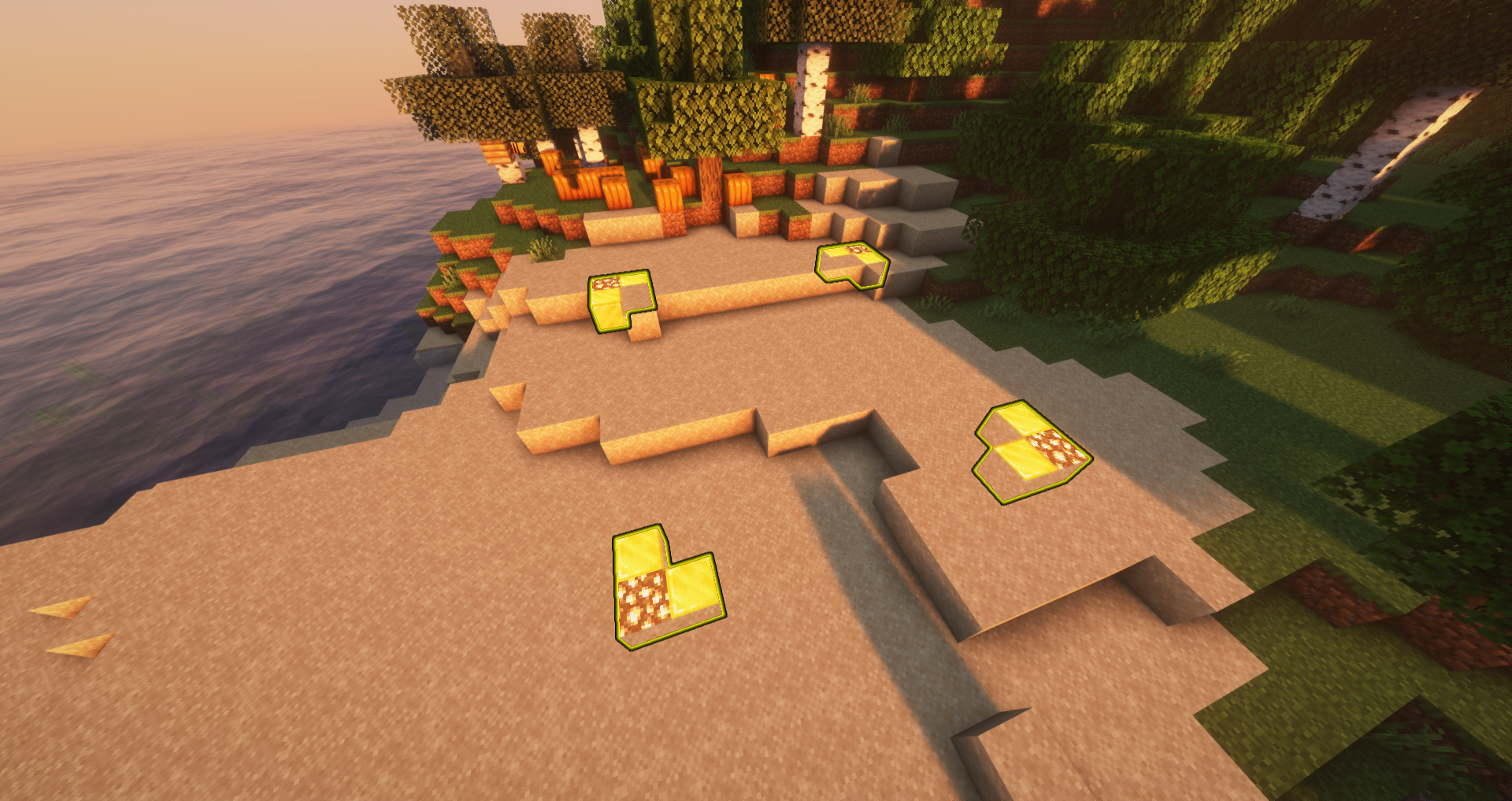
Claiming is a mechanic that allows all players to protect their land from griefing or stealing by other players. Naturally, a claim prohibits all players, except the owner of the claim, from breaking, placing, and interacting with blocks. The owner of the claim can add members to the claim, granting them various levels of permissions in the land. Players can also use signs to claim specific doors, gates, and chests alone, locking them for all other players.
How to Claim
- Get a Golden Shovel: Obtain with
/kit claim. - Select the First Corner: Right-click on the ground with the golden shovel to mark the first corner of your claim.
- Select the Opposite Corner: Move to the opposite corner of the area you want to claim and right-click again with the golden shovel.
- Claim Confirmation: To confirm that the land is claimed, a visual outline of glowstone and blocks of gold will appear like an outline of the claimed land.
Trusting Commands
/trust (Username): Grants a player permission to break, place, and interact with blocks./containertrust (Username): Grants a player access to containers, crops, animals, bed, and buttons/levers./accesstrust (Username): Grants a player access to your bed, buttons, and levers./permissiontrust (Username): Permits a player to share their permission level with others./untrust (Username): Removes all permissions of a player in a claim/trustlist: View all players with permissions in your claim.
Other Commands/Features
/Claimslist: View all your current claims, including the coordinates of each, and how many total claim blocks you have used and have available./Unclaim: Removes the claim you're standing in.- Using a stick, right-click the ground to check if that land is claimed
/trapped: If you're stuck in a claim, simply run this command
If the scoreboard is enabled, details of the claim you're currently in appear on the right-hand of your screen!
Claim Blocks
Claim blocks tell you how many blocks of land you have available to claim. You can view how many claim blocks you have by using the command /claimblocks
This is what will show up after doin the command
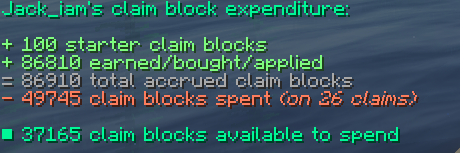
Players can obtain claims blocks by completing challenges, playing chat games, and buying them from the store.
Claiming Chests, Doors, and Gates
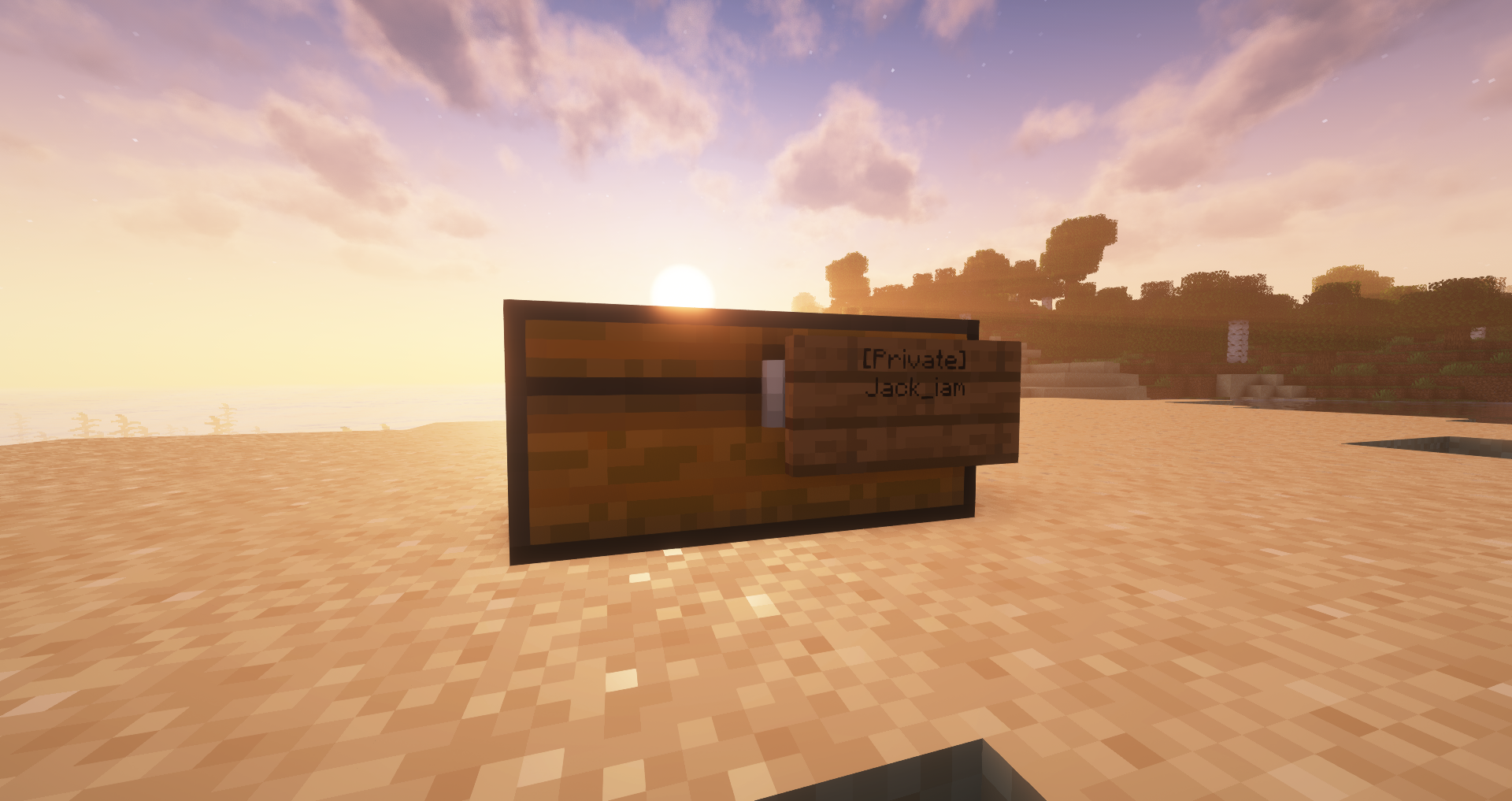
- Obtain a sign: Craft with 6 oak planks and 1 stick.
- Place the sign on the block: Right click the chest, door, or gate with the sign.
- Claim Confirmation: To confirm that the block is claimed, a message will show up in chat stating "Created a claim. Only the people listed on the sign can access it."
- Add friends to the claim: Right click the sign, move down to next open line, and add the username of a player to grant them permission to use the chest/door/gate.