All ranks include all perks from previous ranks.
--- #### **Default** - Set 2 homes + 1 /home bed - Ability to create 12 chest shops at `/warp playerwarp` - `/back `: Brings you back to your place of death or the last place you teleported from - `/rtp` or `/wild` : teleports you to a random location on the server with a 5 second wait - `/lay` : Allows you to lay and sleep without the use of a bed (sneak to stand) [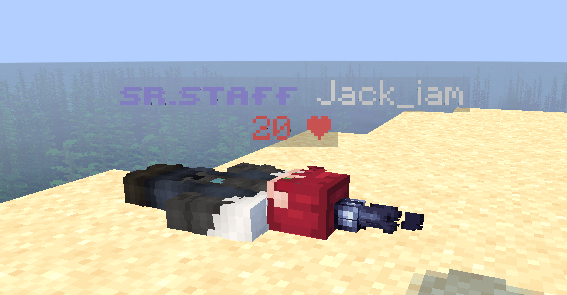](https://wiki.violetsmc.com/uploads/images/gallery/2025-02/screenshot-2025-02-27-222145.png) (^Example of `/lay`) --- ### **Daisy** **Purchasable from the store for $18 USD and offered as a vote crate reward.** **Commands:** - `/trash` : Dispose of unwanted items - `/suicide` : Reset your character and respawn instantly - `/nick` : Customize your display name (no colors) **Perks:** - Set 4 homes - 1000 Claim blocks - Ability to create 15 chest shops at `/warp playerwarp` - Mobs teleport with you with use of a lead [](https://wiki.violetsmc.com/uploads/images/gallery/2025-03/S2yimage.png) (^Example of `/nick`) --- ### **Rose** **Purchasable from the store for $30 USD and winnable through weekly challenges.** **Commands:** - `/ptime` : Ability to set the time for yourself only - `/hat` : Put any item on your head - `/craft` : Allows you to craft anywhere without the use of a crafting table - `/lay` : Allows you to lay and sleep without the use of a bed (sneak to stand) - `/feed` : Fills your hunger bar **Perks:** - Set 6 homes - 2500 Claim blocks - Ability to create 20 chest shops at `/warp playerwarp` [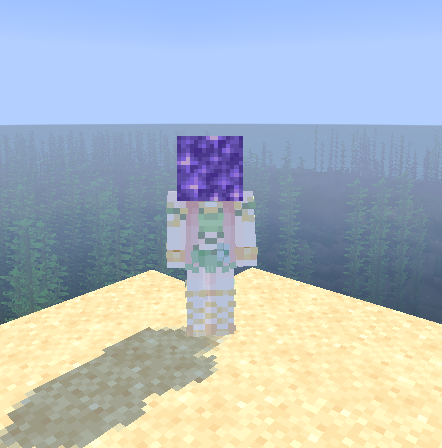](https://wiki.violetsmc.com/uploads/images/gallery/2025-02/screenshot-2025-02-27-222626.png) (^Example of `/hat`) --- ### **Tulip** **Purchasable from the store for $42 USD.** **Commands:** - `/pweather` : Ability to change the weather for yourself only - `/echest` or `/ec` : Access your enderchest without the use of an enderchest - `/spin` : Spins your player rapidly (sneak to cancel) - `/cartographytable` : Access a cartography table menu without the use of a cartography table - `/crawl` : Lets you crawl around (sneak to get up) - `/afk` : Lets everyone know you've gone away-from-keyboard **Perks:** - Set 8 homes - 5000 Claim blocks - Access to premium challenges - Ability to create 25 chest shops at `/warp playerwarp` [](https://wiki.violetsmc.com/uploads/images/gallery/2025-02/screenshot-2025-02-27-225400.png) (^Example of `/crawl`) --- ### **Blossom** **Purchasable from the store for $66 USD.** **Commands:** - `/anvil` : Access an anvil without the use of an anvil - `/loom` : Access a loom without the use of a loom - `/smithingtable` : Access a smithing table without the use of a smithing table - `/clearinventory` : Clears everything from your inventory apart from armor (server Management will not refund any lost items) - `/sell all` : Sells everything in your inventory - `/skull` : Spawns your own skull **Perks:** - Set 10 homes - 2500 Claim blocks - No timer when teleporting - Ability to create 25 chest shops at `/warp playerwarp` --- ### **Violet** **Subscription available for $18 USD per month or purchasable for $92 USD on the store.** **Commands:** - `/stonecutter` : Access to a stonecutter without the - `/nick` : Now supports colored names; use [RGB Birdflop](https://www.birdflop.com/resources/rgb/) and set the color format to <#rrggbb> to customize a gradient - `/repair` or `/fix` : Fully repairs the durability of any tool or armor in your hand - `/rename` : Rename your held item; add color with the &#rrggbb color format on [RGB Birdflop](https://www.birdflop.com/resources/rgb/) - `/invsee` : See other player's inventories whenever you want - `/fly` : Allows you to fly around in the Playershops only **Perks:** - Set 12 homes - 5000 Claim blocks - Ability to create 30 chest shops at `/warp playerwarp` [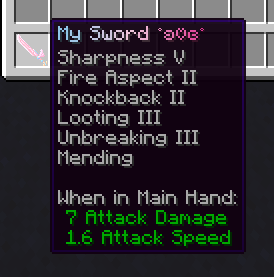](https://wiki.violetsmc.com/uploads/images/gallery/2025-02/screenshot-2025-02-27-223753.png) (^Example of `/rename`) # New Page # Economy **The economy in VioletsMC is very unique. Being non-pay2win the economy system we have implemented gives a chance for any player to be on top of the leader boards!** --- #### **In-Game Shop** The server utilizes an in-game shop that is customized to not allow inflation and deflation of certain items to keep the economy stable. You can view the in-game shop by doing `/shop`. Our in-game shop is also designed to allow some items to only be obtained by purchasing from other players to enhance our `/warp playershop` server addition. You can read more about the playershop on the next page. [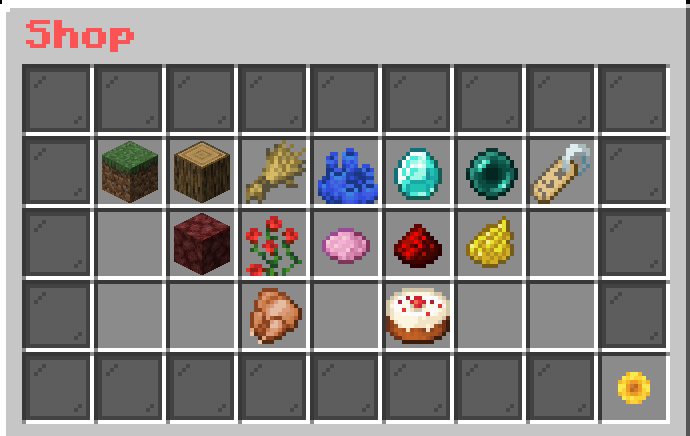](https://wiki.violetsmc.com/uploads/images/gallery/2025-04/screenshot-2025-04-19-at-09-49-53.png) --- #### **Best Items to sell** In our economy, there are many things players sell to earn money! **Some popular items include netherwart, cookies, and pumpkin pie, these can be placed in chests to sell with Sell Wands.** These sell wands can be obtained from the Vote crate, buying from other players at playershops, or through the VioletsMC store. **[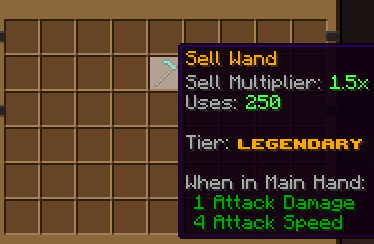](https://wiki.violetsmc.com/uploads/images/gallery/2025-03/screenshot-2025-03-05-012338.png)** # Playershops [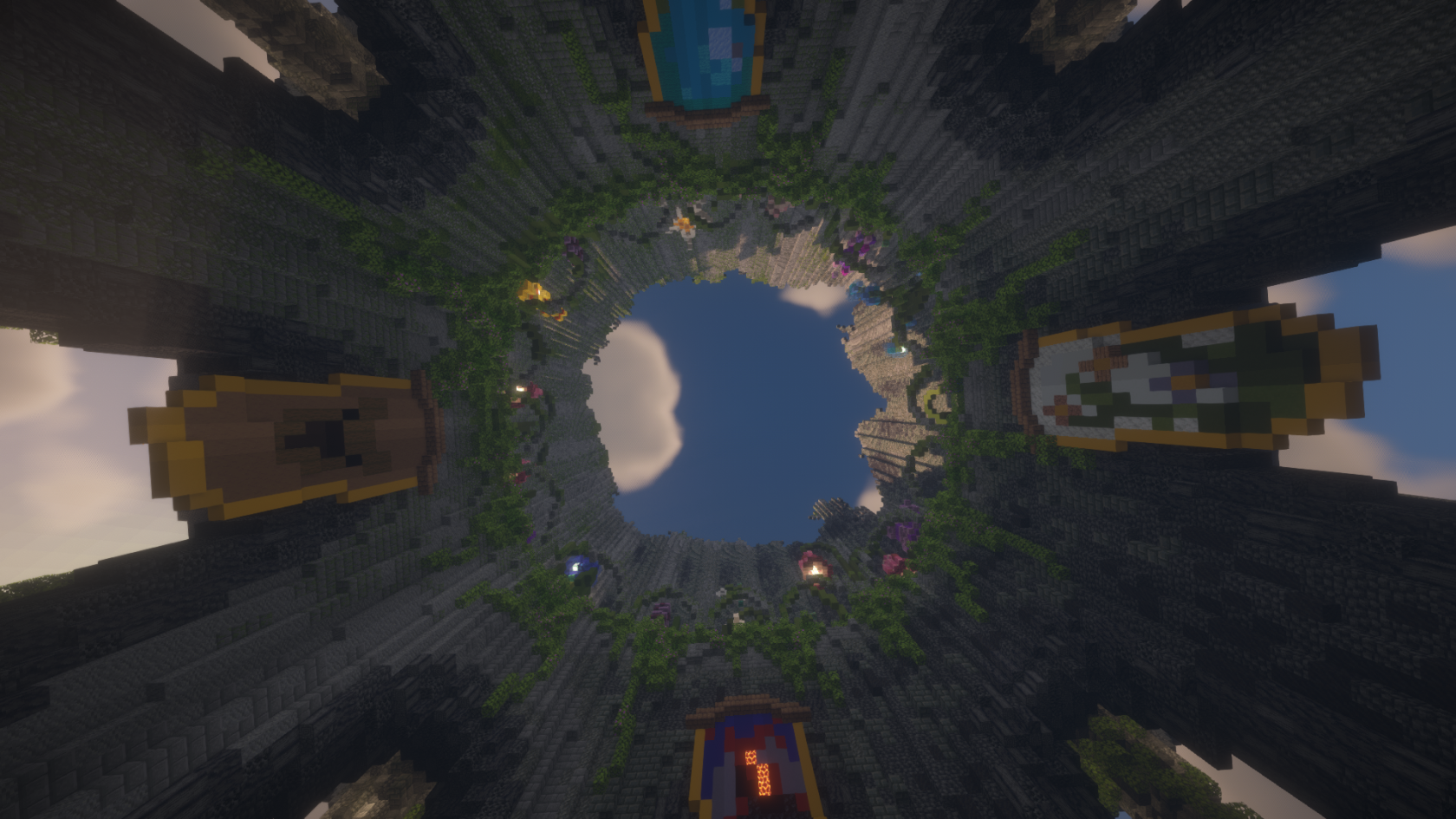](https://wiki.violetsmc.com/uploads/images/gallery/2025-04/aaaa.png) Ever wanted to own your own store and sell items to other players? Well, now you can! Visiting playershops by using `/warp playershops` takes you to a world full of different stores! In this area, you're more than welcomed to buy items from other players or set up your own little shop to sell things to others! --- ##### **How do I get my own shop?** First, you find a vacant plot and rent out a space! Players are able to rent their area on a weekly basis using in-game currency! Clicking the sign, you can choose the amount of weeks you buy, maximum being 28 days! Once you've rented out an area, you may build to your hearts content! Now the shop is all yours, so decorate it as you see fit! ##### --- ##### **Step-by-step guide on how to set up a chest shop:** 1. Place a chest 2. Hold the item you wish to sell and punch or left-click the chest with it 3. Type in chat the amount you want to sell it for. Example: 10 4. A sign with your name and the price will appear in front of the chest; this means you have set up your shop successfully! 5. Fill up the chest with the item, and you are done! [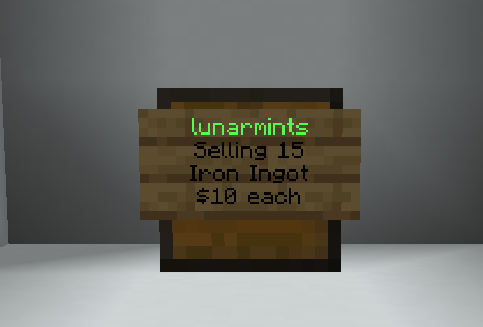](https://wiki.violetsmc.com/uploads/images/gallery/2025-03/f5rimage.png) --- **How do I buy things from other playershops?** Once you've found something you deem worthy of buying, simply left-click the sign placed on the chest. Information regarding the item will pop up on the left side of your screen. With the information given, you are able to see a preview of the item, how much the item is, as well as how much of it is in stock! To finalize the purchase, simply type how much you want to buy, and that should be it! The item should immediately appear in your inventory.Green username = Shop has stock Red username = Shop doesn't have any stock
--- ##### **Frequently Asked Questions/Concerns regarding playershops!** There have been some concerns regarding player shops, and to ensure all players know exactly what they're getting into, we'll be more than happy to provide more information regarding playershops here! Some friendly reminders regarding playershops: - **If you rent a plot and that rent expires** (meaning you did not pay it in time for it to renew), **your build and everything on it will be automatically deleted, and those items will not be returned.** - Scamming or tricking a player into buying an item disguised as a different one is prohibited and will result in punishment. - Every player is only able to rent one plot at a time. - Farms are not allowed at `/warp playershop` - Please keep your shops stocked --- ##### **Command for Playershops!** - `/arm gui` - Opens the plot gui - `/qs buy` - Changes a shop to BUY mode - `/qs sell` - Changes a shop to SELL mode - `/qs price` - Changes the buy/sell price of a shop - `/qs remove` - Removes the shop you're looking at - `/qs staff` - Manage your shop staff - `/qs create` - Creates a new shop from the targeted chest - `/qs find` - Locates the nearest shop of a specific type - `/qs item` - Change shop item of a shop # Teams Ready to start your own team or join one with friends? Here is all you need to know about our team's feature! --- ##### **Commands and FAQ** - **How many people can be on one team?** Currently, it is 22 people per team, and you are only allowed to be a part of 1 team at a time. (Making sub-teams to increase your team's player count is not allowed either.) - **Where can I find teams that I can join?** Located in our discord server, under "SMP Related" there is a channel marked "Find a Team" in channel you can see all of the teams that are accepting players currently, or you can advertise your own team here as well! - **What are all of the things that you can do with a team?** There are quite a few things you can do with a team! Some teams just enjoy the smp and play together, building amazing team bases; then there are those who have lore, spending quality time laughing together; while others grind to complete team challenges to gain more team points to be the best team out there. [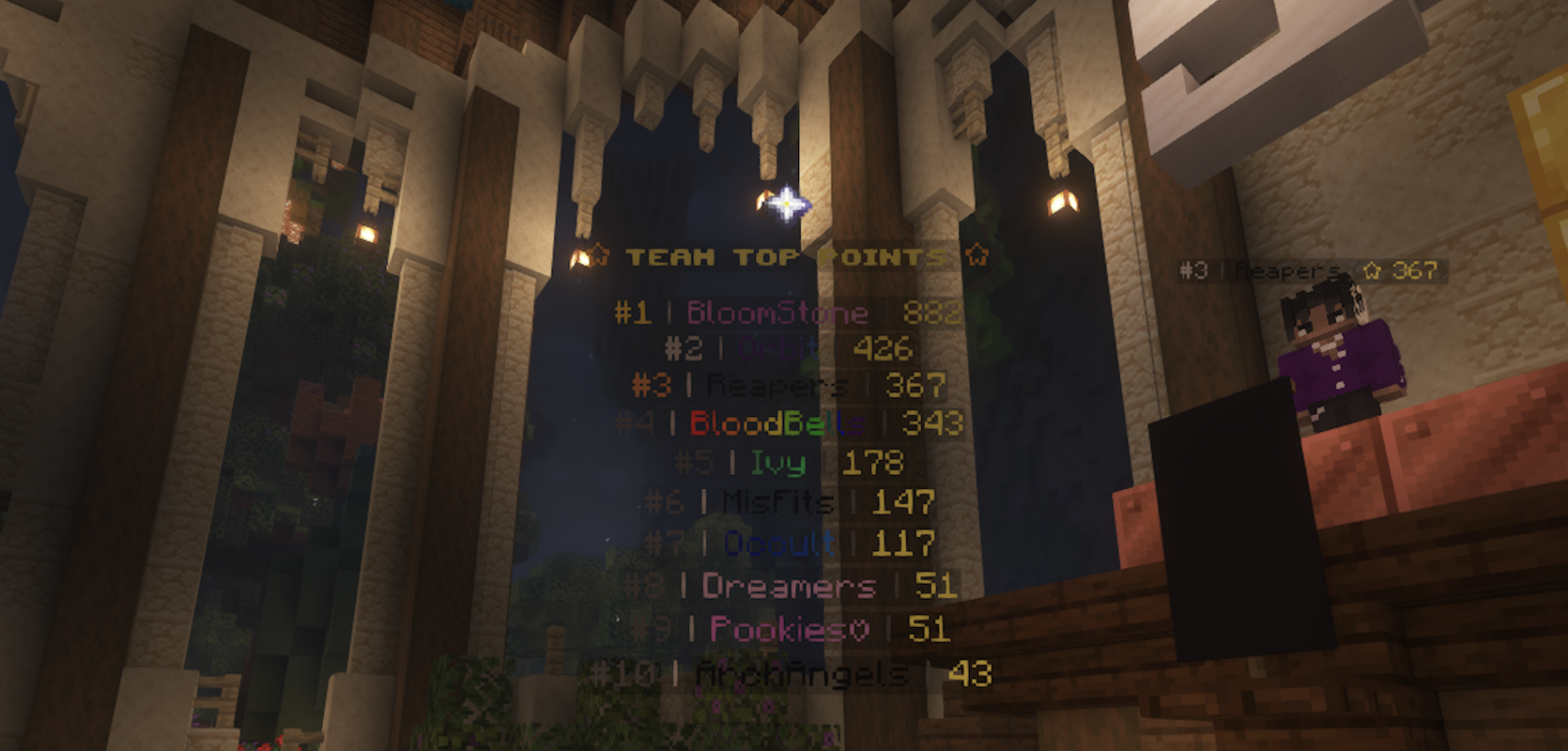](https://wiki.violetsmc.com/uploads/images/gallery/2025-04/screenshot-2025-04-19-at-09-42-07.png) - **What are some useful commands I should know?** [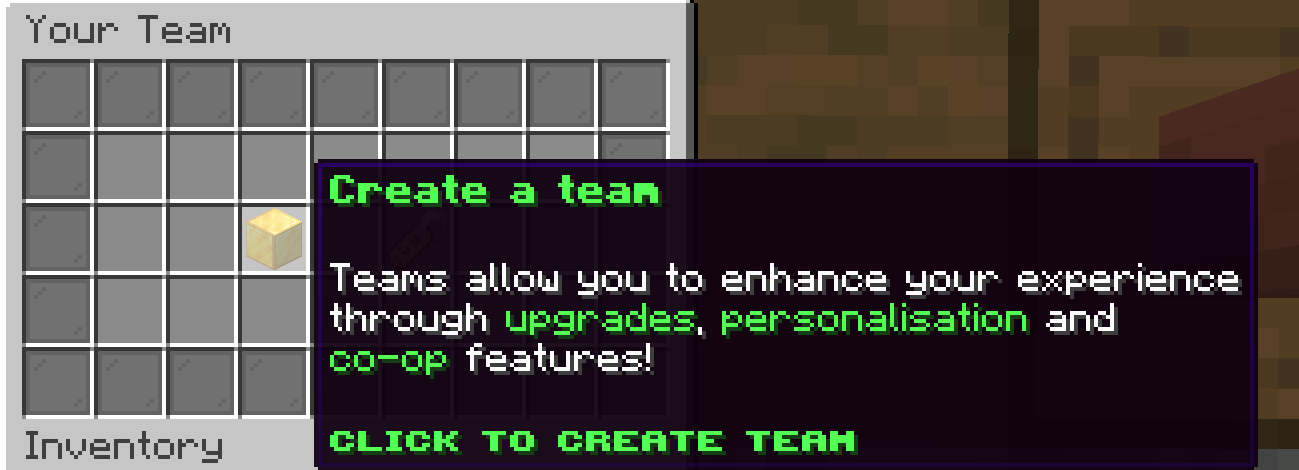](https://wiki.violetsmc.com/uploads/images/gallery/2025-02/screenshot-2025-02-28-133918.png) - - **`/team` :** The base command for creating and inviting players to your team. - **`/team join` :** Allows the players you invite to your team to accept any invitations that they receive. - **`/team leave` :** Allows players that are not the Owner of the team to leave the team, If you are an owner transfer ownership of your team first. - **`/team disband` :** Allows owner to disband teams - **`/team info (username)`** : Allows you to look at details of a specific player's team --- ##### **Team Challenges** Team challenges are challenges you can complete weekly to put points towards your teams standing on the Team Top Leaderboard. The top three teams are displayed at the Teams Top Points display area. Each member of your team will receive three team challenges per week that can contribute to your teams points. ##### **[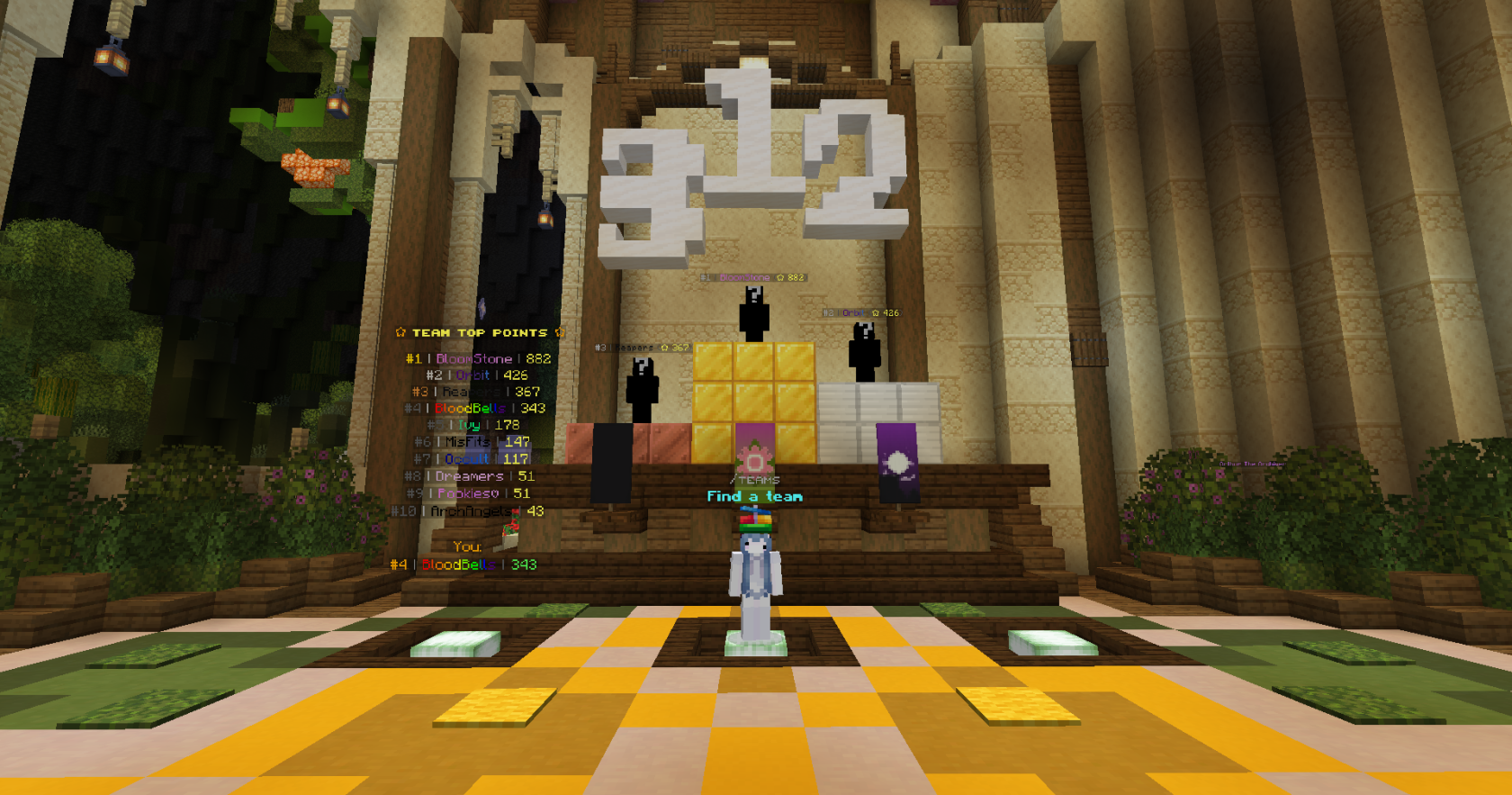](https://wiki.violetsmc.com/uploads/images/gallery/2025-04/2025-04-19-22-31-26.png)** ##### --- ##### **Commands and FAQ** - **How to access team challenges?** Once you are in a team, you can use `/challenges` to open the challenges pop-up. Navigate to find 'Team Challenges' and by clicking on that, you will be able to see your team challenges for the week. You can see the information of the challenge by clicking on the items displayed! [](https://wiki.violetsmc.com/uploads/images/gallery/2025-04/2025-04-19-23-01-16.PNG) # Challenges 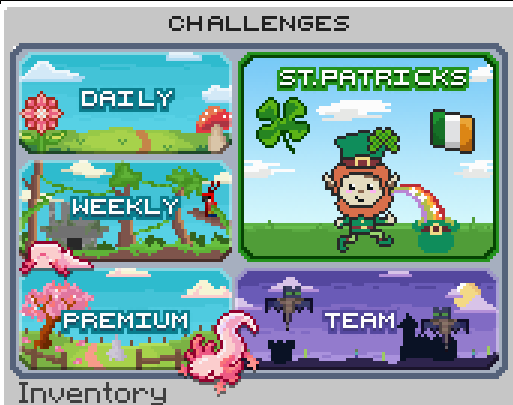 Challenges are a perk in the server which you are able to complete. Daily challenges reset every 24 hours, weekly, premium, team challenges reset every week. \* Only Tulip rankers and up have access to Premium Challenges To open your challenges type `/challenges` and you'll receive a multitude of options! Childish Rewards: Are the easiest rewards to get and are acquired by completing daily challenges - 16x Iron Ingots - 32x Iron Ingots - 16x Gold Ingots - 32x Gold Ingots - 4x Diamonds - 1x Enchanted Golden Apple - 32x Bottle o' Enchanting - $5000 - $7500 - 10x Cosmetic Tokens Easy Rewards: Are challenges that require a bit more effort and are acquired by completing daily & weekly challenges - 8x Diamond - 1x Netherite Scrap - 2x Invisible Item Frame - 64x Bottle o' Enchanting - Unbreaking I Book - Protection II Book - $15,000 - $20,000 - 25x Archive Tokens - 50x Claim Blocks - 1x Vote Key Medium Rewards: Take longer to complete and are acquired by completing weekly challenges - 1x Villager Spawn Egg - 12x Diamond - 2x Netherite Ingot - Protection III Book - Looting II Book - Unbreaking II Book - $30,000 - $45,000 - 100 Claim Blocks - 50x Archive Tokens - 1x Vote Key Hard Rewards: Take long to complete and require the use of resources are acquired by completing Premium challenges - 16x Diamond - 4x Netherite Ingot - Protection IV Book - Looting III Book - Unbreaking III Book - Mending Book - $60,000 - 200 Claim Blocks - 75x Archive Tokens - Sell Wand Extreme Rewards: Take long to complete and require the use of resources are acquired by completing Premium challenges - 8x Netherite Ingots - 125x Archive Tokens - 1x Spawner Scooper - 1x Skin Sponge - 3x Vote Key - 1x Spawner Stone Key - 1x Replenisher Hoe - 400x Claim Blocks - 1x Axolotl Tag ##### **Team Challenges** These challenges are only available when a player is in a team. - 1-7 Team Points These challenges will reset once a week. Read [Team Challenges](https://wiki.violetsmc.com/books/wiki/page/teams#bkmrk-team-challenges) for more information! # Claiming System [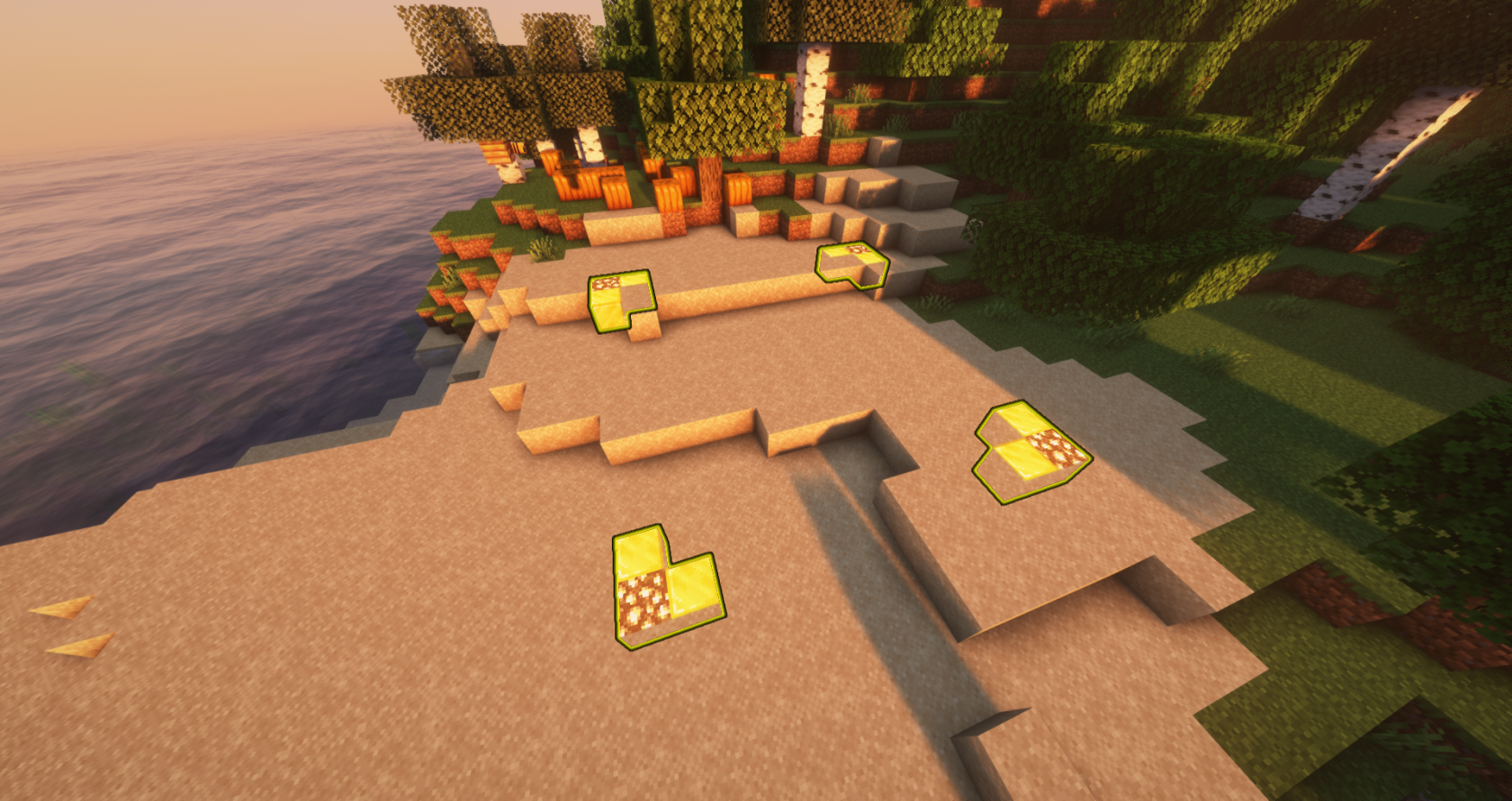](https://wiki.violetsmc.com/uploads/images/gallery/2025-02/aVFimage.png) Claiming is a mechanic that allows all players to protect their land from griefing or stealing by other players. Naturally, a claim prohibits all players, except the owner of the claim, from breaking, placing, and interacting with blocks. The owner of the claim can add members to the claim, granting them various levels of permissions in the land. Players can also use signs to claim specific doors, gates, and chests alone, locking them for all other players. --- #### **How to Claim** 1. **Get a Golden Shovel:** Obtain with `/kit claim`. 2. **Select the First Corner:** Right-click on the ground with the golden shovel to mark the first corner of your claim. 3. **Select the Opposite Corner:** Move to the opposite corner of the area you want to claim and right-click again with the golden shovel. 4. **Claim Confirmation:** To confirm that the land is claimed, a visual outline of glowstone and blocks of gold will appear like an outline of the claimed land. --- #### **Trusting Commands** - `/trust (Username)` : Grants a player permission to break, place, and interact with blocks. - `/containertrust (Username)` : Grants a player access to containers, crops, animals, bed, and buttons/levers. - `/accesstrust (Username)` : Grants a player access to your bed, buttons, and levers. - `/permissiontrust (Username)` : Permits a player to share their permission level with others. - `/untrust (Username)` : Removes all permissions of a player in a claim - `/trustlist` : View all players with permissions in your claim. --- #### **Other Commands/Features** 1. `/Claimslist` : View all your current claims, including the coordinates of each, and how many total claim blocks you have used and have available. 2. `/Unclaim` : Removes the claim you're standing in. 3. Using a stick, right-click the ground to check if that land is claimed 4. `/trapped` : If you're stuck in a claim, simply run this command If the scoreboard is enabled, details of the claim you're currently in appear on the right-hand of your screen! --- #### **Claim Blocks** Claim blocks tell you how many blocks of land you have available to claim. You can view how many claim blocks you have by using the command `/claimblocks` This is what will show up after doing the command [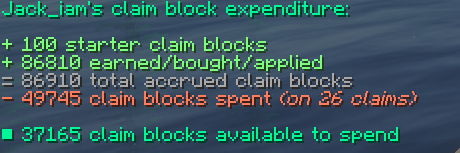](https://wiki.violetsmc.com/uploads/images/gallery/2025-02/FSMimage.png) Players can obtain claim blocks by completing challenges, playing chat games, and buying them from the [store](https://store.violetsmc.com/ "VioletsMC Store"). --- #### **Claiming Chests, Doors, and Gates** [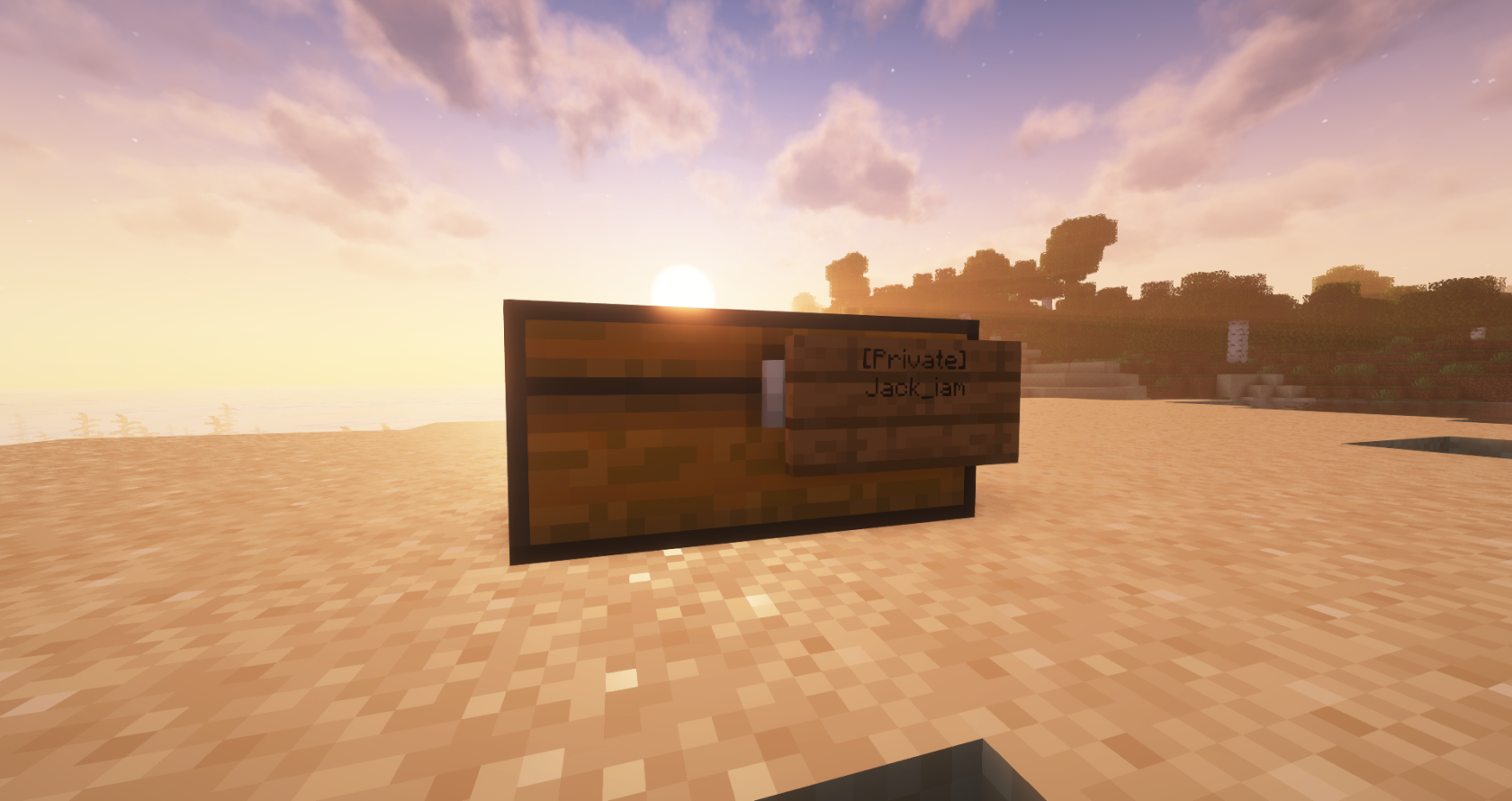](https://wiki.violetsmc.com/uploads/images/gallery/2025-02/TrYimage.png) 1. **Obtain a sign:** Craft with 6 wood planks and 1 stick. 2. **Place the sign on the block:** Right-click the chest, door, or gate with the sign. 3. **Claim Confirmation:** To confirm that the block is claimed, a message will show up in chat stating "Created a claim. Only the people listed on the sign can access it." 4. **Add friends to the claim:** Right-click the sign, move down to next open line, and add the username of a player to grant them permission to use the chest/door/gate. # Voting System & Daily Rewards [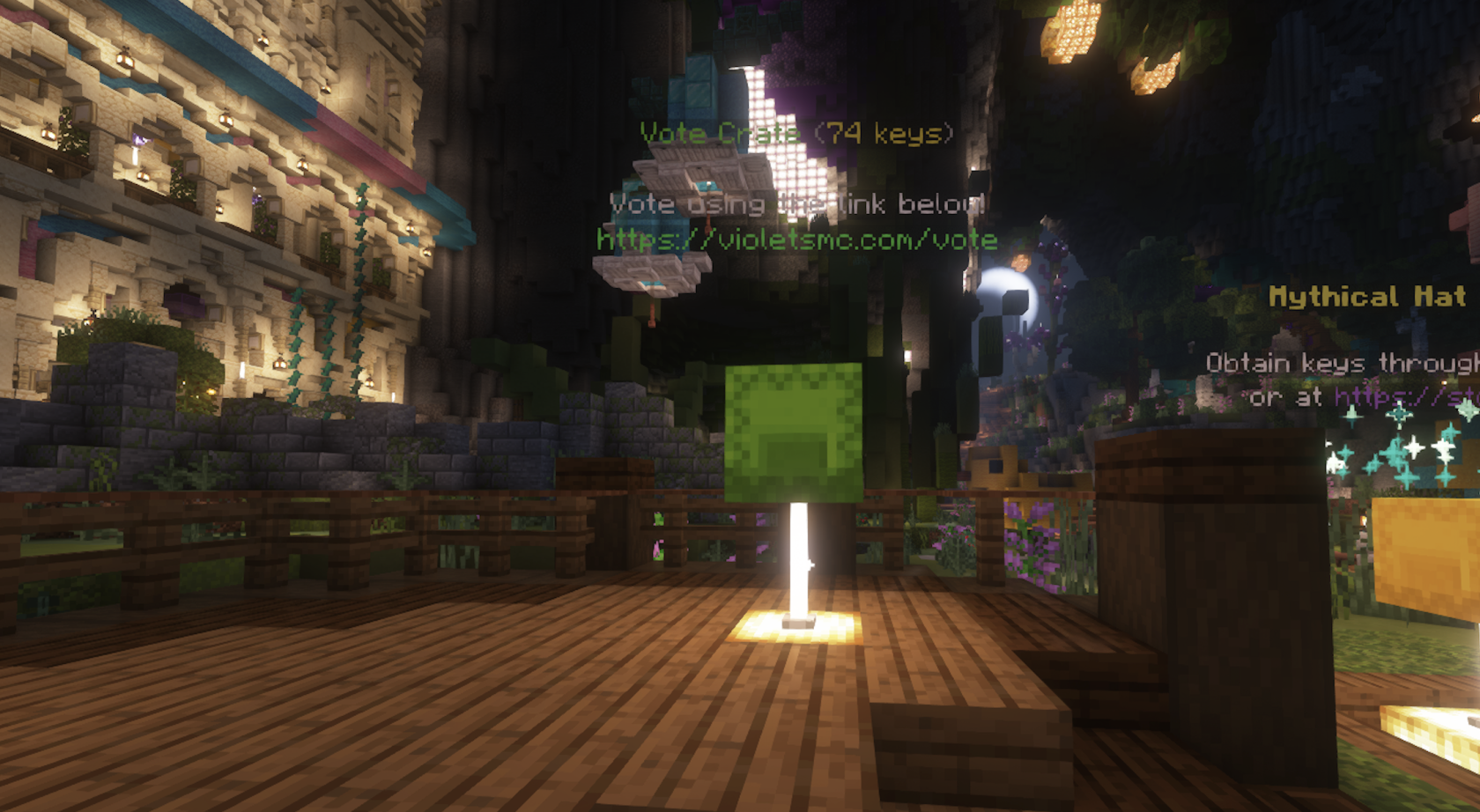](https://wiki.violetsmc.com/uploads/images/gallery/2025-04/screenshot-2025-04-19-at-10-30-07.png) --- #### **How Do I Vote?** The easiest way to reach the vote page is by doing `/vote` from within the Minecraft server or you can type in [https://violetsmc.com/vote/](https://violetsmc.com/vote/) into your chosen browser which should bring you to this page: [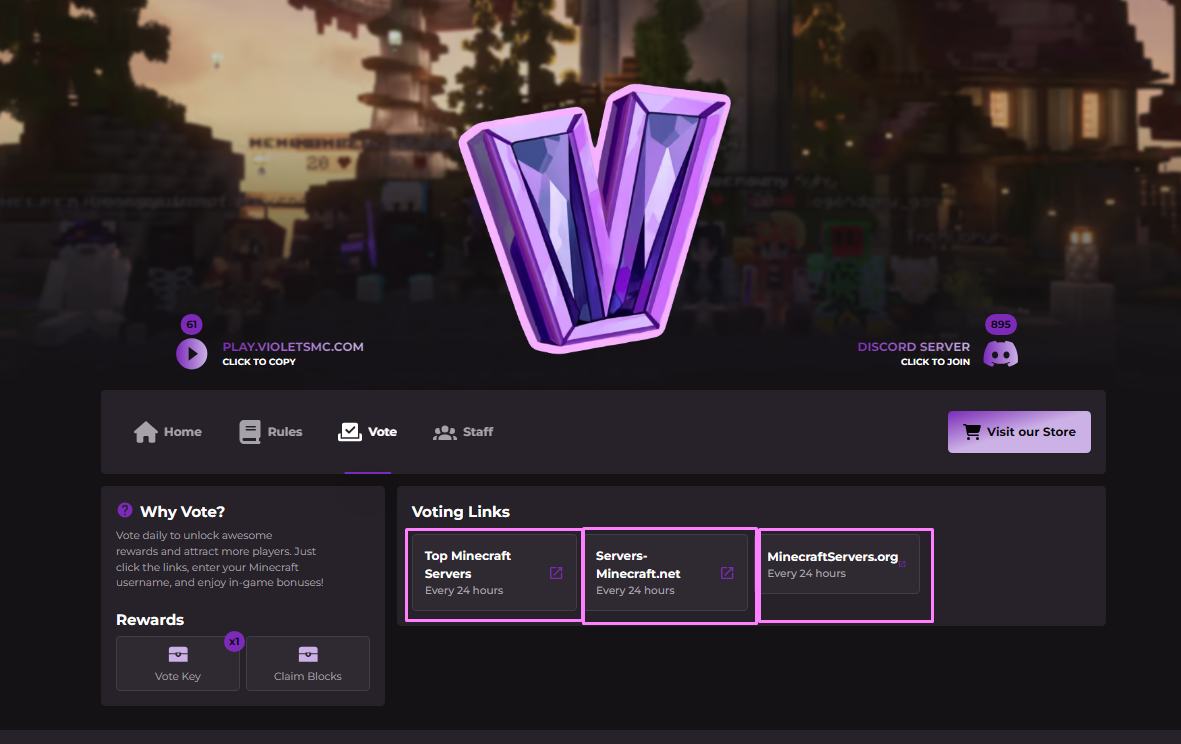](https://wiki.violetsmc.com/uploads/images/gallery/2025-02/Cauimage.png) You can access the vote pages by clicking on any of the five buttons which should open a new tab. Follow the instructions on page making sure to put in your CURRENT Minecraft username (any old usernames will not receive the rewards) and complete the reCAPTCHA correctly. Bedrock players make sure to include the '.' in front of your username. Please wait a little time for the votes to reach your Minecraft user, they are not physical and will not appear in your inventory. - **How often can I vote?** You can vote once per day per link which totals at three votes a day. - **Can I Vote offline?** Yes you can just make sure to `/vp claim` or `/vp claimall` when you join back into the server. - **Where can I use my vote keys?** In the Minecraft server you can use `/warp votes` and make your way to the crate shown in the picture below and right click to spend your keys. [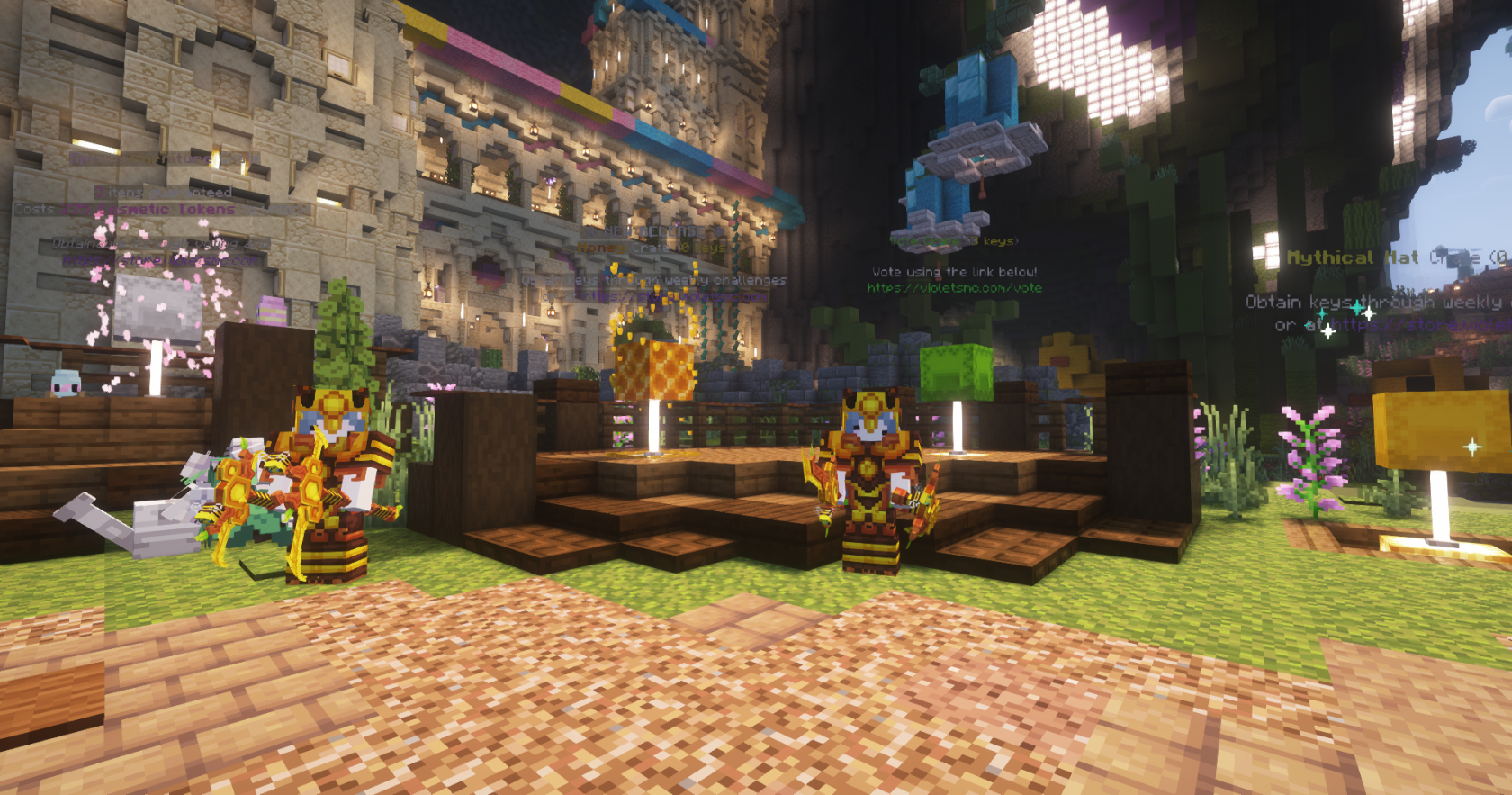](https://wiki.violetsmc.com/uploads/images/gallery/2025-04/2025-04-19-20-38-45.png) - **What are vote parties?** Vote parties happen when the server reaches a certain number of votes, and everyone who voted that day who is online receives an extra vote key. - **What can I get from voting?** You are more likely to obtain lower rarities than higher ones. Here is a list of each of the items within the vote crate: ##### Common - - - 16x Cooked Beef - 10x Iron Ingots - 32x Bottle O' Enchanting ##### Uncommon - - - 2x Invisible Item Frames - $2500 of In-Game money ##### Rare - - - 1x Totem of Undying - 3x Diamond - 1x 1.0x Sell Wand (Used to sell Bulk items in chests at their base price, 100 uses ) - 1x Sniffer Egg ##### Epic - - - 2x Netherite Scrap - 1x Smithing Template - 1x Mending Book ##### Legendary - - - 1x 1.5x Sell Wand (Used to sell Bulk items in chests at 1.5x the base price, 250 uses ) - 1x Daisy Rank - 50x Archive Tokens `/warp archive` - 1x Enchanted Backpack (Put in offhand to wear on back.) - 1x Warden Backpack (Put in offhand to wear on back.) *[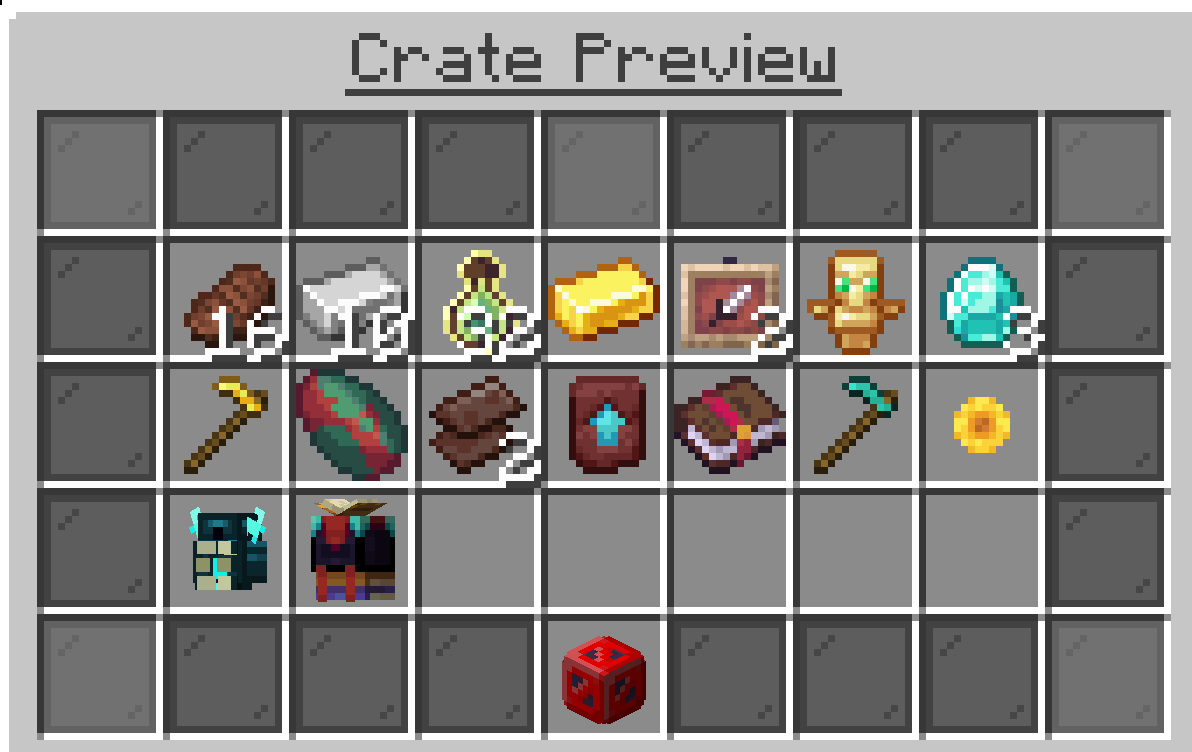](https://wiki.violetsmc.com/uploads/images/gallery/2025-04/screenshot-2025-04-19-at-10-53-02.png)* --- #### **Daily rewards** You can claim daily rewards through `/rewards claim` or by interacting with the rewards npc found at spawn [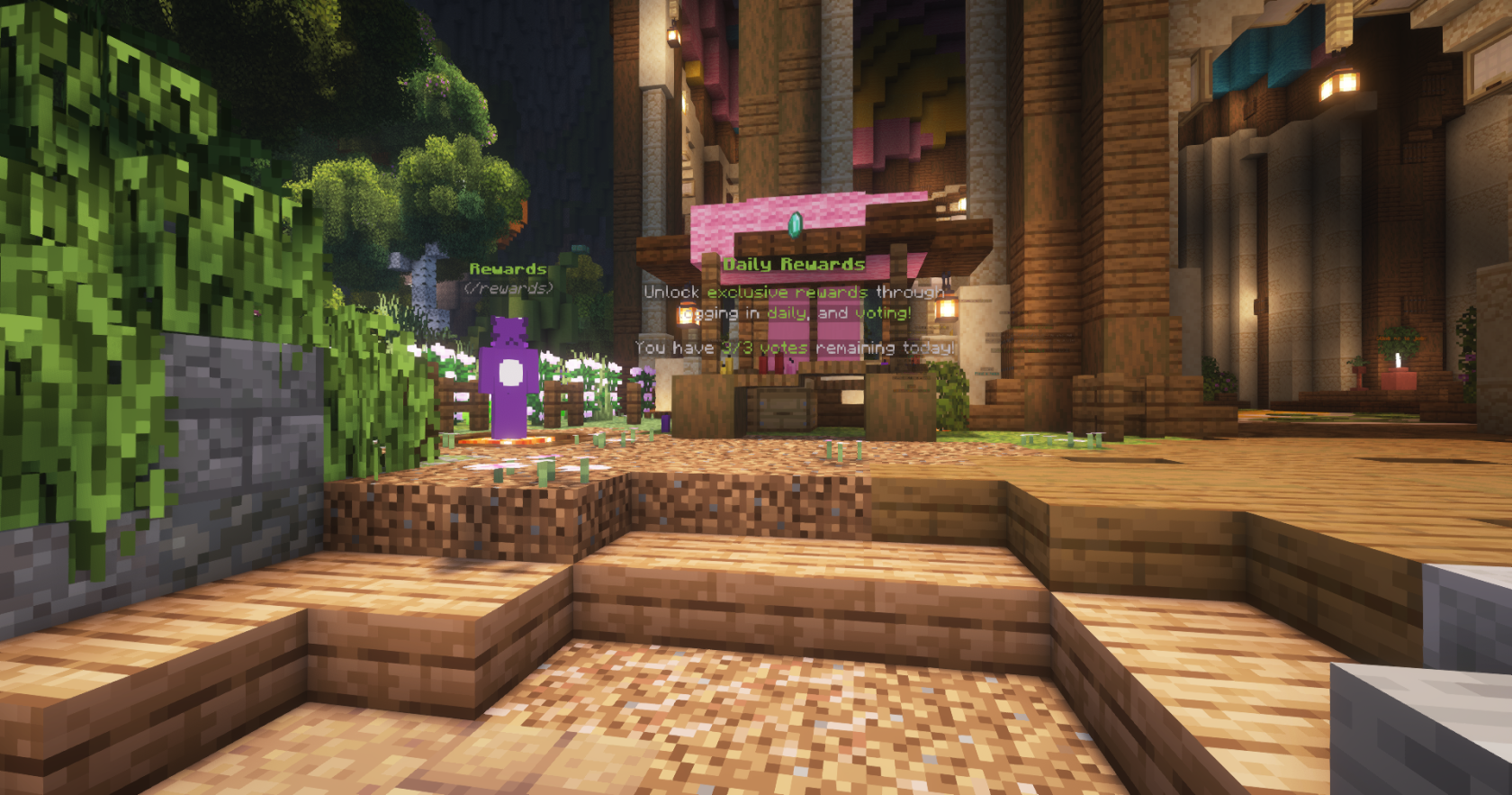](https://wiki.violetsmc.com/uploads/images/gallery/2025-04/2025-04-19-20-51-59.png) Daily rewards can be claimed once per day. You can develop a daily reward streak which will appear on the side of your screen named 'Streak:' followed by a number of how many days you have consecutively claimed your daily reward. As you build up your streak you will receive more / higher value rewards when you collect your daily login bonus. [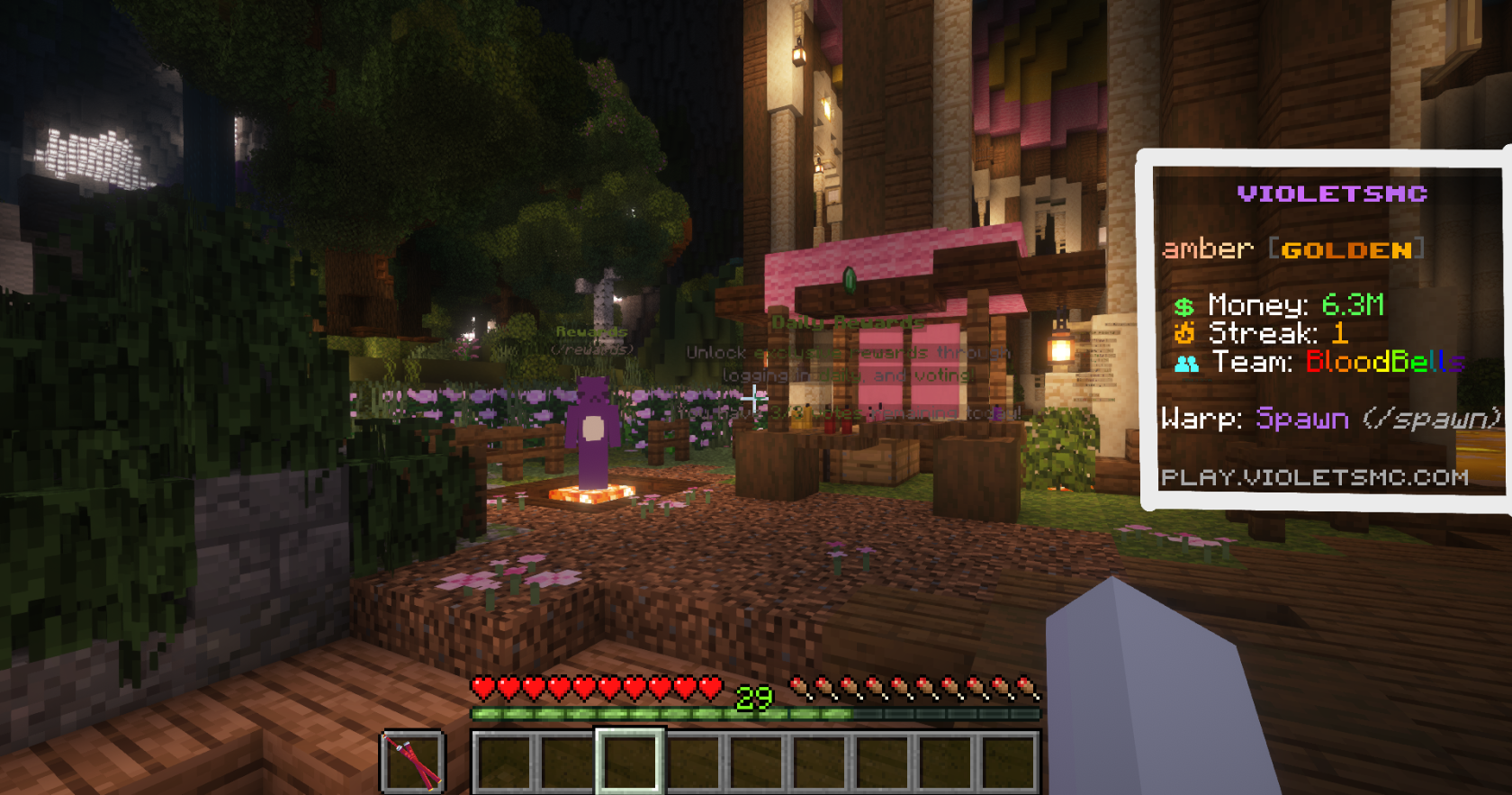](https://wiki.violetsmc.com/uploads/images/gallery/2025-04/2025-04-19-21-19-18.png) - **How can I see how long until I can claim my daily reward again?** You can use the `/rewards` command or visit the rewards npc at spawn, by clicking on the Ender chest the red text reading 'Claim again in:' will state the time until you can claim your rewards again. [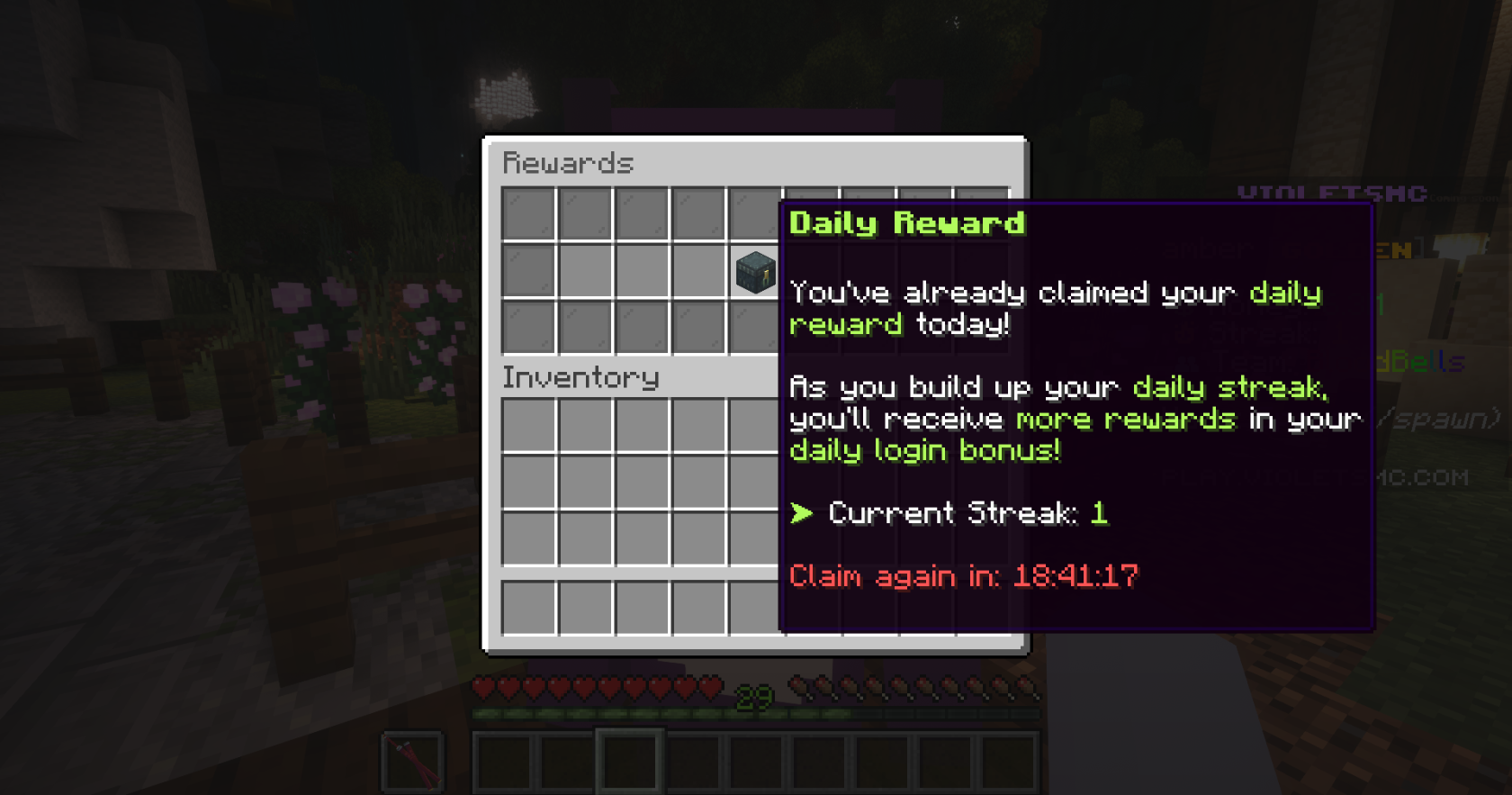](https://wiki.violetsmc.com/uploads/images/gallery/2025-04/2025-04-19-21-18-49.png) - **Can I collect my daily rewards offline?** You cannot collect your daily rewards offline. If you are unable to log on to claim your daily rewards within 24 hours after your last rewards claim your streak will reset back to one.Note: Unfortunately, bedrock players are unable to craft custom foods due to plugin limitations.